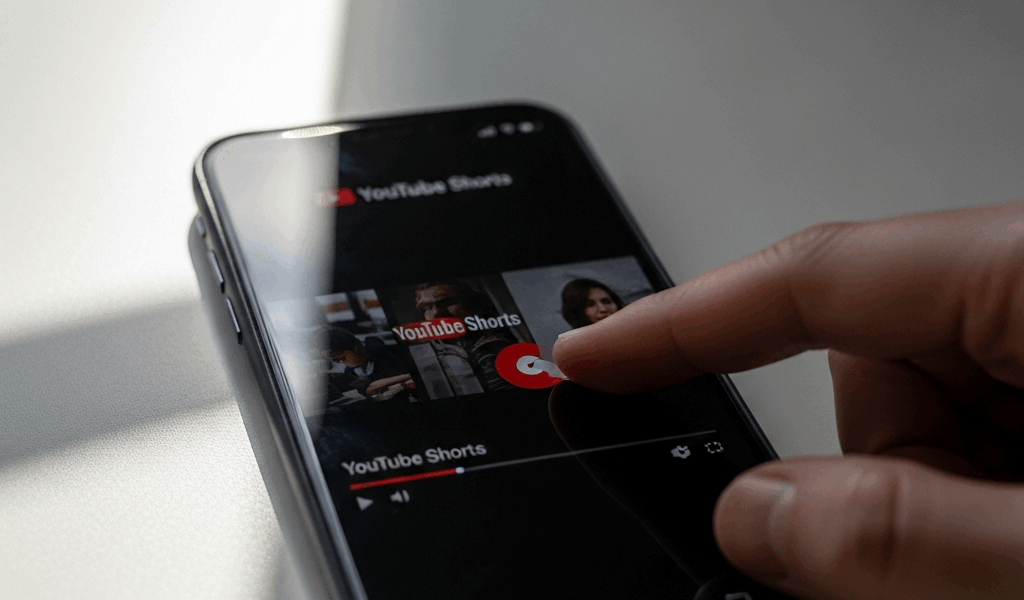
What Happens in the First Second of a Short
YouTube Shorts retention has gotten complicated with all the conflicting advice flying around about hooks, thumbnails, and posting schedules. As someone who watched a carefully edited 15-second clip crater despite 8,000 impressions, I learned everything there is to know about first-second viewer behavior. Today, I will share it all with you.
That video lost 6,200 viewers in the first three seconds. Not the first ten. The first three. I stared at that retention graph for an embarrassingly long time before I understood what I was actually looking at.
Here’s the mechanics of what’s happening. Someone scrolls past your Short. It autoplays — sound on, assuming they haven’t muted everything. They have roughly two seconds before muscle memory takes over and their thumb flicks to the next video. That’s it. The Shorts feed isn’t a homepage where someone clicks a video and mentally commits. There’s no commitment. Just constant motion.
Long-form viewers forgive a slow intro. They’ve already decided to watch. Shorts viewers are actively hunting for reasons to leave. A logo animation. A fade-in. A 0.5-second pause. Any friction at all costs you the viewer — probably permanently, since they’re unlikely to circle back.
YouTube’s own research puts the decision window at one to two seconds. Your analytics already show this if you know where to look. Pull up the audience retention graph on any Short that flopped. The line doesn’t gradually decline. It’s a cliff. Vertical drop, right at the beginning. That’s not bad content. That’s a broken first second.
The Most Common First-Second Mistakes Creators Make
Probably should have opened with this section, honestly. These are the patterns I see wrecking otherwise decent Shorts before they ever get a fair shot.
Mistake one: the branded intro animation. A creator spends twenty minutes in After Effects building something clean — logo slides in, text appears, a swoosh sound plays. They’re proud of it. They lead every single video with it. By the time the actual content starts, fifteen other creators on the feed have already swiped past. Your brand means nothing if nobody watches past frame one. Cut it. Completely.
Mistake two: slow camera movement at the open. You’re starting on your face. The camera slowly zooms in. Your mouth starts moving somewhere around second one. The viewer sees stillness for the first half-second and scrolls. Movement stops them. Stillness kills you — every time, no exceptions.
Mistake three: text that animates instead of appearing. You’ve got a caption strategy, which is the right instinct. But the text fades in over 0.75 seconds, or wipes left-to-right across the frame. By the time it’s readable, the viewer is already gone. Bold text needs to exist in frame one. Not fade into frame one. Exist there.
Mistake four: dead silence before the beat drops. Even 0.3 seconds of quiet at the open is enough. Viewers aren’t waiting for your sound design to kick in. They’re already swiping. Sound is attention — treat it that way from the literal first frame.
Mistake five: the mid-sentence cold open with zero context. You open with voiceover: “—and that’s why this method actually works.” The viewer has no idea what method, who you are, or why they should care. Don’t make my mistake. Context and curiosity need to arrive simultaneously, not sequentially.
How to Build a Hook That Stops the Scroll
But what is a first-second hook, really? In essence, it’s whatever creates immediate visual or narrative curiosity before the viewer’s thumb has time to move. But it’s much more than that — it’s the entire argument for why your video deserves those next fifty-eight seconds of someone’s life.
So, without further ado, let’s dive in.
Hook formula one: the pattern interrupt. Cut directly to the most visually interesting moment in your video — not a buildup to it, the actual payoff. Showing a product unboxing? Open on the moment the box comes apart. Demonstrating a technique? Open on the moment it works. Slap a text overlay over it: “This took me 6 months to perfect.” They see the result first and stay to learn the process. Information debt, instantly created.
Hook formula two: the provocative text question. Frame one is a bold text overlay — “This cost me $2,000 in mistakes” or “Turns out my entire routine was backwards” or “Am I overthinking this?” Sans-serif font, white or high-contrast color, filling at least 25% of the screen. The viewer reads it in under a second and realizes they don’t have the answer. That’s what makes the text hook endearing to us scroll-addicted viewers. We cannot leave without knowing.
Hook formula three: the fast-cut preview. Three or four cuts between different moments in your video — a reaction, a specific product detail, a number on screen — each cut lasting roughly 0.3 seconds. The editing itself signals energy. The viewer assumes the entire video will move at that pace. They stay to find out if they’re right.
Hook formula four: direct address with real specificity. Look at camera, say exactly who this is for. “If you spent more than $30 on a keyboard, watch this.” Or: “This is why your thumbnails are sitting at 2% CTR.” No warmup, no clever setup. The viewer recognizes themselves in the first sentence and sticks around.
All four share one trait: zero setup required. They hit in frame one.
How to Test Whether Your Hook Is the Problem
Open YouTube Studio on desktop. Find a Short with decent impressions but brutal watch time. Click “See Details,” scroll to “Audience Retention,” and look at the graph. Vertical drop in the first three seconds? Hook is your culprit. That’s the whole diagnosis.
I’m apparently the type who needs to see this confirmed twice before acting on it, and checking three different Shorts before I believed the pattern was real works for me — guessing from your gut never does. Don’t make my mistake. Check the data first, then test a specific fix.
Repost the same Short with a different opening. Cut the intro. Swap in bold frame-one text. Add a sound effect at the very start. Keep everything else identical and monitor retention for 48 hours. Yes, reposting the same content means YouTube might dock it slightly — that’s real. But the retention numbers you get back are also real, and they’ll tell you whether the change actually moved anything.
Quick Fixes You Can Apply Before Your Next Upload
- Watch your video at 2x speed and cut every frame where nothing happens. Dead frames are invisible to you at normal speed and lethal to viewers in the feed.
- Add a bold, one-line caption in frame one — white text, drop shadow, large enough to read in under a second. Don’t animate it in. Make it exist immediately.
- Start mid-action instead of building toward it. Show the payoff first, then work backward through the explanation. Counterintuitive, but it works.
- Delete your branded intro entirely. Watch time compounds over time and the algorithm rewards it — but only if people watch. A beautiful logo animation that nobody sees is just a beautiful waste.
- Check your audio against frame one. Something interesting needs to happen sonically within the first 0.5 seconds — a voice, a music hit, a specific sound effect. Movement plus sound together is what actually stops the scroll.
The first-second hook problem is genuinely fixable — probably faster than you’d expect once you know what you’re actually looking for. Most creators make broad changes because they don’t realize the issue is this granular. You have a specific target now. Fix frame one. Everything else in your video finally gets its shot.



Stay in the loop
Get the latest make video short updates delivered to your inbox.