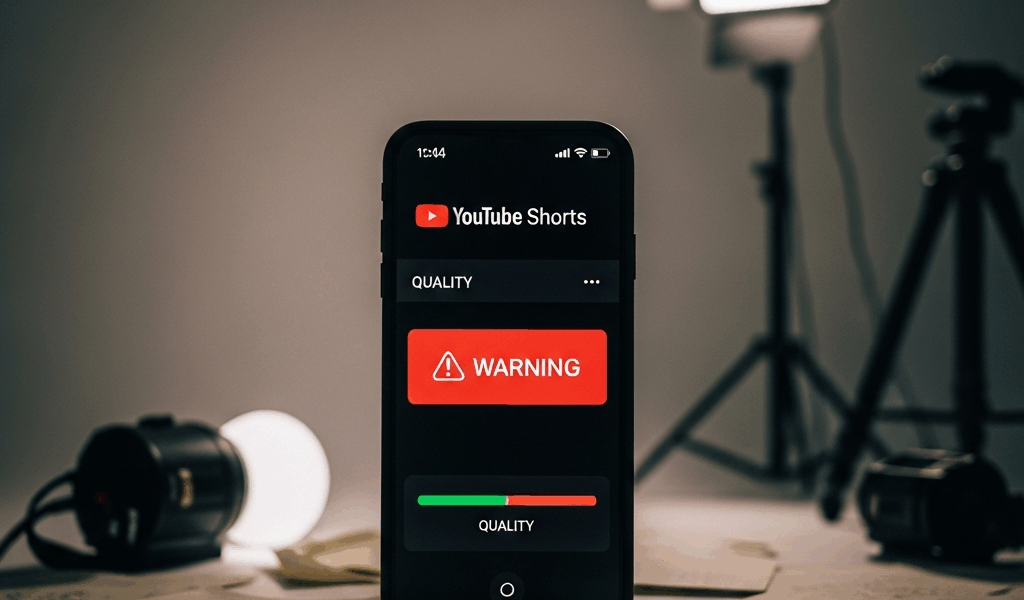
What YouTube Actually Means by Low Quality
YouTube Shorts has gotten complicated with all the misinformation flying around about why videos fail to reach anyone. Most creators assume it’s the topic, the timing, or some mysterious algorithmic grudge. It’s usually none of those things.
The suppression happens silently — no notification, no warning, no email. You upload, and instead of reaching thousands of people, your Short gets shown to maybe 50. You check the analytics. Impressions stay flat. You refresh YouTube Studio hoping the number will jump. It doesn’t. That’s not bad luck. That’s a flag.
YouTube separates low-quality signals into two distinct buckets. First: policy-level flags. These catch reposted content, watermarks from other platforms, misleading thumbnails, stolen material. Second: algorithmic signals. Blurry resolution, black borders around the video, distorted or inaudible audio, engagement patterns suggesting people are bailing within two seconds. Both buckets lead to the same result — suppressed reach.
Most creators confuse the two. They assume low reach means the algorithm hates their niche. It doesn’t. It means YouTube detected something in the video itself. That distinction matters enormously, because the fixes are completely different.
The Watermark and Repost Penalty Is Real
YouTube has publicly stated that videos carrying TikTok watermarks get filtered out of distribution. This isn’t rumor or creator folklore. It’s documented behavior — and I’ve watched it happen to people I know personally, multiple times.
Here’s why it stings: you film something on TikTok, it does well, and you want to cross-post it to YouTube for extra reach. Logical move, honestly. Except YouTube’s system detects the TikTok watermark and treats it as evidence that the content isn’t original to the platform. Same logic applies to Instagram Reels watermarks, Snapchat logos, any burnt-in branding from a competing service.
The penalty hits even if you own the content. Even if it’s your original filming. Even if you shot it yourself on your own phone. The watermark alone is enough to trigger it.
Removing the watermark doesn’t always save you, either. YouTube’s content detection can identify reposted videos without any visible logo. The system checks for duplicate content across the web. If your Short already exists on TikTok with a timestamp from two weeks ago, YouTube knows. And it deprioritizes accordingly.
The fix is pretty straightforward. Film original content directly for YouTube. Or — if you’re cross-posting — use something like SnapTik to download a watermark-free version before uploading. Better yet, refilm the same concept using your phone set to native 9:16 mode. Yes, that’s extra work. But it actually works, which is the whole point.
Pillarbox and Letterbox Borders Kill Distribution
Probably should have opened with this section, honestly. This mistake is everywhere right now, and it’s quietly strangling reach for thousands of creators who have no idea why their numbers are flat.
YouTube Shorts runs in 9:16 vertical format — 9 units wide, 16 units tall. When you film in landscape or import horizontal footage, you get letterbox bars on the top and bottom. When you film in square and add side padding, you get pillarbox. Both look identical to YouTube’s detection system: repurposed content, lazy reframing, low effort.
Those visible black bars send a signal. Not a subtle one. They tell the algorithm you didn’t film natively in vertical — that you grabbed horizontal footage and squeezed it down to fit. That screams low effort, and the system responds accordingly.
Creators add these borders thinking it’s a minor cosmetic issue. It’s not. YouTube treats pillarbox and letterbox as a quality defect, full stop. The assumption the system makes is that you grabbed footage from another source or couldn’t be bothered to frame properly for the platform.
Fix it by cropping to true 9:16 in your editing software. CapCut makes this painless — open a new project, select “Short” as the format, and the aspect ratio locks in automatically. Adobe Premiere works just as well. Or just use your phone’s native camera app and frame vertically from the start. Don’t add borders after the fact. Film native. Every time.
Blurry Video and Bad Audio Both Trigger Suppression
YouTube recommends a minimum resolution of 1080×1920 for Shorts. That’s 1080 pixels wide, 1920 pixels tall. Upload compressed video or screen-recorded footage at a low bitrate, and playback looks soft and pixelated — even on a decent phone screen.
The algorithm sees this and draws a conclusion: low production quality. Viewers see it and scroll faster. Low view duration then reinforces the low-quality signal, which reinforces suppression. It’s a loop, and it’s hard to escape once you’re in it.
Audio does the same damage. I learned this the hard way when I recorded a batch of Shorts using my phone’s built-in mic in a room with an HVAC unit running overhead. The audio peaked, crackled, sounded thin and distant. Views tanked. I re-recorded the same content in a quiet room using a Rode Wireless GO II — paid about $299 for the kit — exported at maximum bitrate, and the next batch performed roughly four times better. Don’t make my mistake.
Fast fixes: film in your phone’s highest resolution setting, whatever that is. Export from your editing app at the highest quality preset, not the “fast export” option that saves thirty seconds and costs you everything. For audio, Voice Memos on iPhone actually captures clean sound in quiet environments. A basic lavalier mic — the Movo PM10 runs about $25 — handles most situations. Audacity is free and lets you clean up voiceover audio in post. You don’t need expensive gear. You need clean, clear output.
How to Check If Your Short Is Actually Suppressed
Open YouTube Studio. Go to Analytics, then Reach. Look at the Impressions metric — not Views. Impressions tell you how many times YouTube offered your video to someone’s feed. Views tell you how many people actually tapped. Those are two very different problems.
A suppressed Short shows near-zero impressions within the first 24 hours. You’re being shown to almost nobody. Meanwhile, a video with high impressions but low views has a click-through problem — the thumbnail or title isn’t convincing people to tap. Different diagnosis, different fix entirely.
Impressions near zero? Quality flag or policy violation. Impressions high but views low? Your hook or thumbnail is weak. Don’t confuse the two.
Check the “Impressions by source” breakdown while you’re in there. Shorts Feed impressions should be the largest segment by a significant margin. If they’re minimal or missing, suppression is actively happening.
Here’s what I’ve found after testing this repeatedly: trying to fix an already-uploaded Short rarely does much. YouTube made a call on it. But the next upload — that’s where you apply what you learned. Upload a new Short with no watermark, true 9:16 format, 1080p or higher resolution, clean audio, original content. Watch how different the distribution curve looks in the first six hours.
Use this checklist on every upload:
- No watermarks from other platforms
- True 9:16 aspect ratio, no borders
- 1080×1920 resolution or higher
- Clear, distortion-free audio
- Original or significantly adapted content
Fix these signals and your reach changes. Not overnight. But measurably — and pretty quickly once the system stops filtering you out before you even get a chance.


Stay in the loop
Get the latest make video short updates delivered to your inbox.