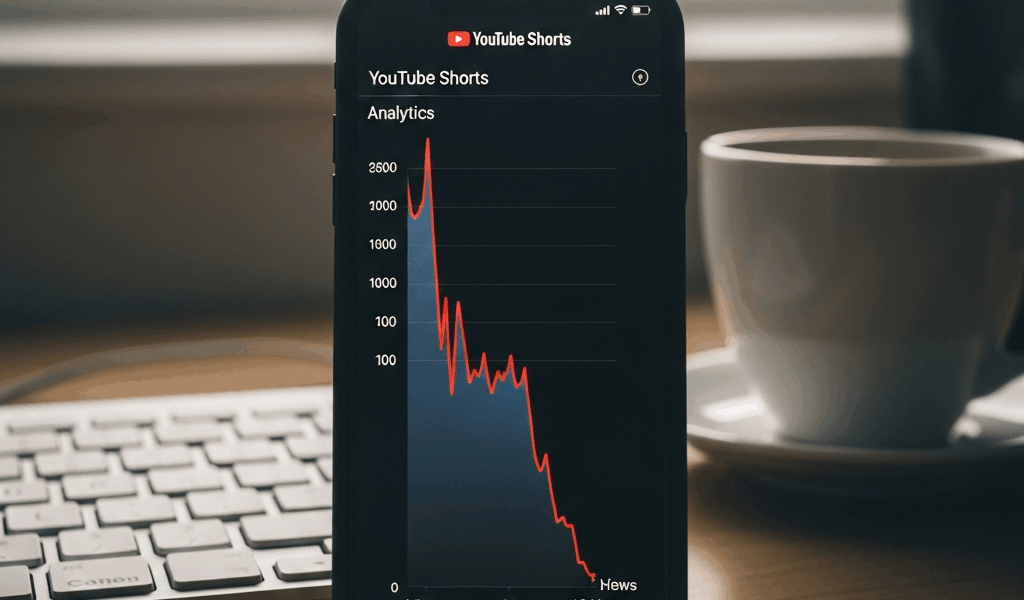
What the 48-Hour Drop Actually Means in Your Analytics
YouTube Shorts has gotten complicated with all the algorithm mythology flying around. You post a Short, watch it hit 200 views in the first hour, 800 by hour six — then wake up the next morning to a flatline. By hour 48, you’re scraping maybe 10-15 new views per day. Most creators assume something broke. Nothing broke. That’s the system running exactly as intended, and figuring out why your YouTube Shorts stop getting views after 48 hours is honestly the difference between quitting and understanding the pattern.
But what is the Shorts algorithm actually doing in that window? In essence, it’s running a rapid-fire A/B test on your video. But it’s much more than that. When you publish, YouTube serves your Short to a small test audience — somewhere between 500 and 2,000 impressions, depending on your channel’s history. It’s watching one metric obsessively during those first 48 hours: click-through rate.
CTR above 4-5%? YouTube broadens distribution. Below 3%? It stops. No gradual slowdown. No warning. Just a hard pause while the platform moves on to the next video.
Probably should have opened with this section, honestly. Because in your Studio dashboard, this looks like a sharp spike through the first 24-36 hours, then a cliff. Not a slope. A cliff. Most creators see that graph and assume something is fundamentally wrong with their content — when really, they just didn’t pass the test. A healthy Short doesn’t spike and vanish. It plateaus. You get the initial burst, then it stabilizes at a level the algorithm is comfortable sustaining. Dead Shorts look like fireworks. Bright. Brief. Gone.
The Three Signals YouTube Checks Before Pushing Further
YouTube isn’t checking whether people like your Short. They’re checking whether they watch it.
Loop rate is the first signal. This is the percentage of viewers who let your video restart when it ends — or actively replay it. For Shorts, healthy loop rate sits somewhere between 30-45%. If your Short is 15 seconds long and viewers are swiping away the moment it finishes, YouTube reads that as a content problem. Five hundred people watched it, but only 100 looped it? You’re signaling weakness. The fix is structural. End with a visual hook — not a text card, not a “watch again” call-to-action — a genuine visual reason to loop. A pattern completing. A punchline landing right as the first frame reappears. Motion that pulls the eye back to the beginning naturally.
Average view duration percentage is the second signal, and this one stings. YouTube doesn’t care that someone watched your entire 20-second Short. They care that someone watched 100% of it. If your average view duration lands at 14 seconds out of 20, people are dropping in the final six seconds. Your ending is weak. You’re losing the audience at the worst possible moment. Anything under 85% average view duration on Shorts is a warning sign — your pacing is off, your conclusion doesn’t land, or both.
Like-to-view ratio is the third signal — invisible, but real. YouTube doesn’t surface this metric cleanly in your dashboard, but creators who’ve spent serious time in their analytics know it matters. A healthy Short pulls likes on roughly 2-4% of its views. Sitting at 0.5%? People are watching and scrolling on without engaging. That’s usually a sign the content is either unclear or forgettable. They watched. They kept going. YouTube learned from that behavior and stopped pushing.
All three signals collapse into that single 48-hour window. YouTube runs your Short through a gauntlet and decides whether to keep promoting it or shelve it. There’s no appeal process. No second-chance algorithm. Just a hard cutoff. That’s what makes this window so critical to creators who actually want to grow.
Common Mistakes That Kill Momentum After the First Push
The weak first two seconds. You have roughly 1,000 milliseconds to stop someone from swiping. If your Short opens with a slow intro, a title card, or text that takes any time to read, you’re already bleeding the test audience. Every swipe in those first two seconds registers as a rejection signal. Lead with motion, a face reacting to something, or a question that forces someone to stick around for the answer. No fluff. None.
No loop structure at the end. Your Short ends flat. No visual reason to restart. You uploaded a 20-second clip that just stops — so of course your loop rate is sitting at 8%. The fix means going back into the edit. Build toward something. A reveal. A pattern that completes visually right as the Short loops back to frame one. Boomerang-style edits work well here. Cyclical narratives work. Static endings don’t.
Publishing at 3 AM in your own timezone. Timing matters more than most people admit. Upload when your audience is asleep and your test window crawls — fewer impressions in the first 2-6 hours means the algorithm takes longer to gather data. By the time your audience wakes up and actually watches, the promotion window has already closed. Test posting at 6 PM, 9 PM, and 7 AM. Track which time pulls the fastest initial CTR. Lock that slot in.
Deleting and reposting the same Short. You upload. You panic after six hours and repost with a slightly different thumbnail. The algorithm resets. You’ve torpedoed your own test window — twice. Don’t make my mistake. Never delete a Short within the first 48 hours unless it’s been flagged for a policy review. Let the test run to completion.
Changing the title or thumbnail after publishing. Related problem. Four hours in, you swap the title for something more clickable. YouTube’s test was running on your original metadata. Now the data is fractured. The algorithm has no clean read on what worked. Leave everything static for 48 hours minimum — at least if you actually want interpretable results.
How to Audit a Dead Short Before You Give Up on It
So, without further ado, let’s dive in — but don’t delete anything yet. Run the audit first.
Step one: Find the drop-off point in Studio analytics. Watch your video alongside your analytics. Where does the audience retention line fall? Second two means your hook is broken. Second 18 out of 20 means your ending killed it. That one timestamp tells you exactly what to fix on the next video.
Step two: Compare CTR to your channel average. Say your Short got 1,200 impressions and 35 clicks — that’s a 2.9% CTR. If your channel average is 4.2%, the algorithm made the right call. If your Short actually beat your average and still died, move to step three.
Step three: Check your traffic sources. Did the view spike come from the Shorts feed or from subscribers hitting notifications? If 80% came from subscribers and only 20% came from discovery, YouTube couldn’t get a clean read on whether the content itself was working — your existing fans carried it artificially. The algorithm paused because the test audience didn’t validate it independently.
Step four: Check for flags. Studio will tell you if YouTube’s automated systems flagged your Short for review or limited its distribution. Sometimes it’s not the algorithm making a quality call. It’s a policy issue. If that happened, move on rather than obsessing over the metrics.
Step five: Make a call. Is it worth promoting externally — pushing it to TikTok, Instagram Reels, or your Discord server? Only if the content itself is genuinely solid but the hook underperformed. Promoting a video with a weak hook just generates more rejections. If the hook is strong but the algorithm rejected it anyway, the issue runs deeper — your audience positioning might be off for this content type entirely.
What to Do Differently on Your Next Short to Hold the Algo Longer
Build your hook inside the first 15 frames. Not words — motion. A pattern interrupted. A face reacting to something the viewer hasn’t seen yet. A visual surprise that stops the swipe cold. That’s what makes Shorts endearing to us creators who’ve actually cracked it — the hook isn’t a gimmick. It’s architecture.
Structure your Short to loop deliberately. End with a visual callback to your opening frame. When someone loops, the beginning should hit as a fresh moment, not an obvious restart. This is why boomerang-style videos consistently punch above their weight in the Shorts feed — the loop is seamless. It feels intentional because it is.
Keep your ideal Short between 15-22 seconds. I’m apparently wired for 18-second videos and that range works for me while anything over 25 seconds never holds my completion percentage in the Shorts feed. That window maximizes loop rate without tanking average view duration. Test it yourself with your next five uploads.
Post consistently at the same time every day for one week straight. Track which day and time pulled the fastest initial CTR. Lock that slot and repeat for the following month. The algorithm learns your cadence — it can pre-position your content to the right audience faster when your publishing is predictable.
Most importantly: stop uploading and hoping. Upload, then audit. Every Short that dies is handing you specific, actionable data about what didn’t land. The ones that flatline are the most useful videos on your channel — if you actually read what they’re telling you.




Stay in the loop
Get the latest make video short updates delivered to your inbox.